

Prerequisites
-
Claude Code installed and signed in:
- A Hyper account — sign up for free
- At least one integration you plan to use (Google Ads, Meta, GA4, Gmail, etc.) — connect anytime at app.hyperfx.ai/apps
Setup
The Hyper Marketing plugin bundles marketing skills and automatically configures the Hyper MCP. One install gets you everything.- Plugin install (recommended)
- Manual MCP setup
/plugin or /mcp for you.Add the Hyper marketplace
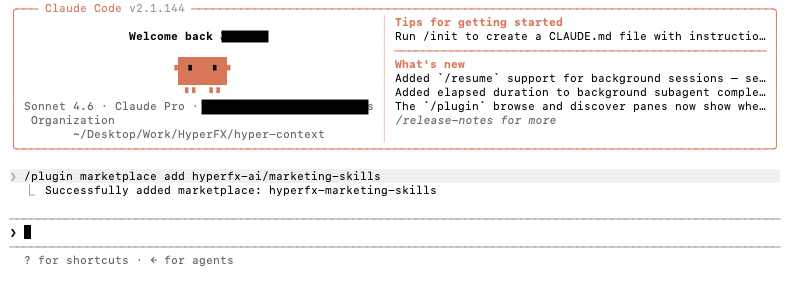
Terminal after adding the Hyper marketplace
Install the plugin
- User scope — available in all your projects (recommended)
- Project scope — shared with collaborators on this repo
- Local scope — only this repo, only for you
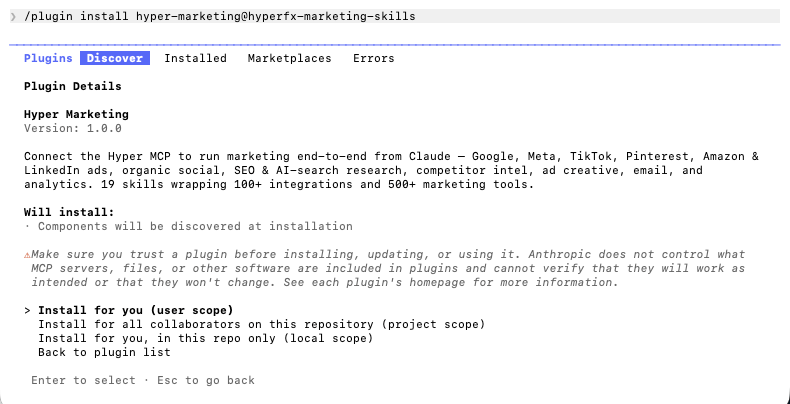
Plugin install — scope selection
Reload plugins
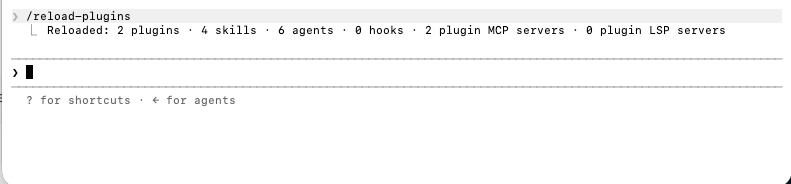
Output after reload — plugins, skills, and MCP loaded
Authenticate with Hyper
/plugin, open the Installed tab, and select hyper-marketing if it shows “needs attention.”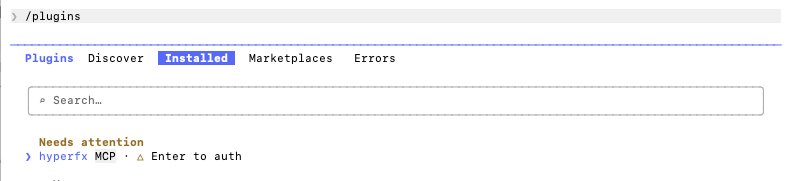
Installed tab — hyper-marketing needs authentication
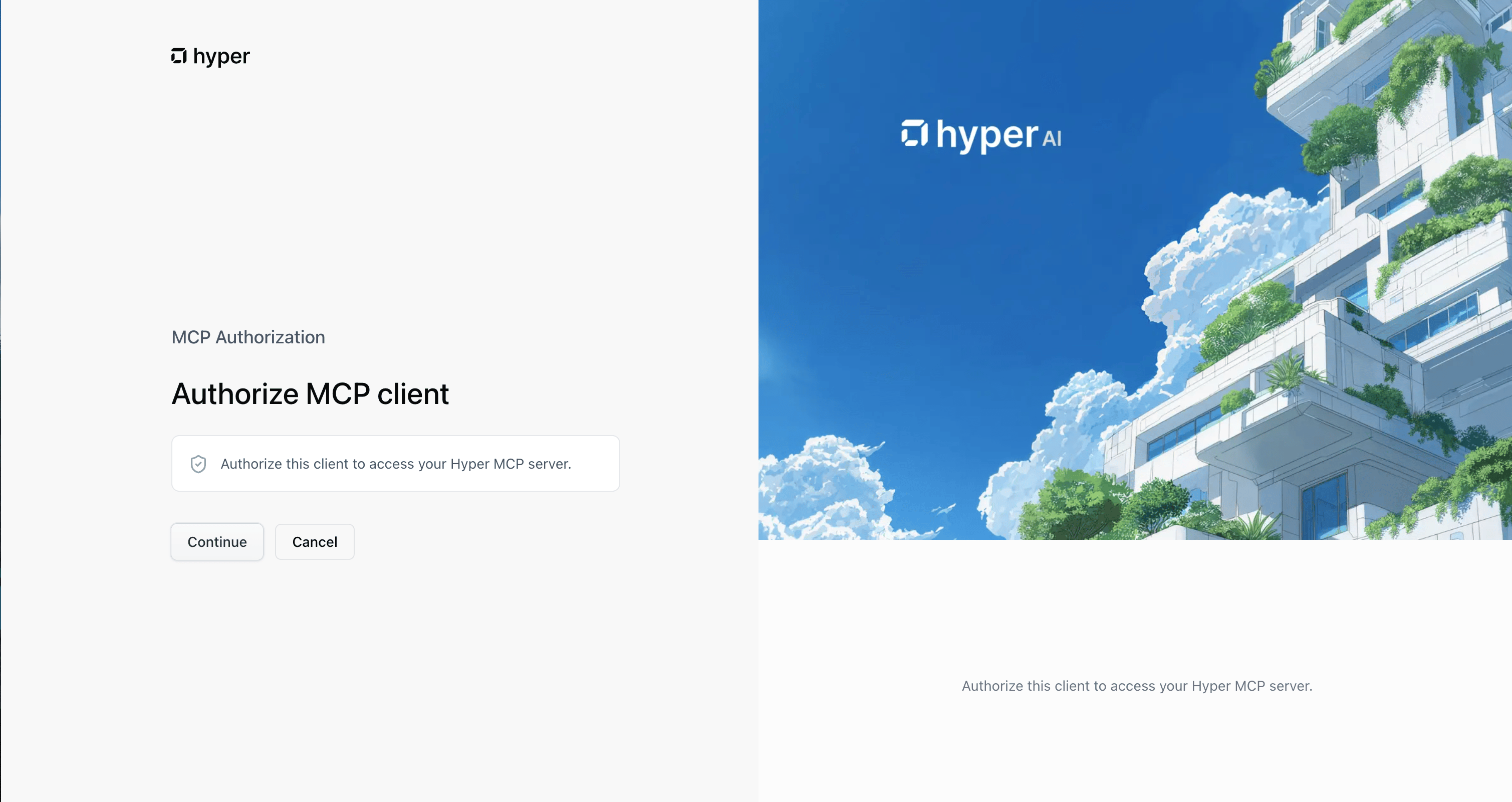
OAuth authorization in the browser
/mcp: type /mcp, find the Hyper MCP server in the list, select it, then choose Authenticate.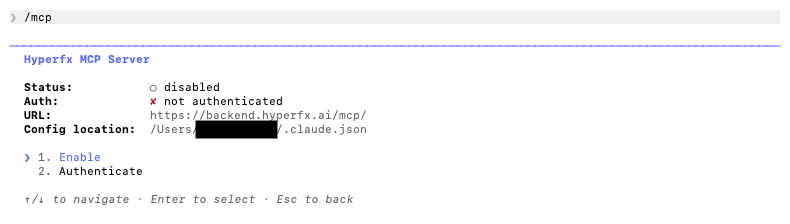
MCP list — Hyper server with Authenticate option
Verify the install
/ in Claude Code and look for skills under the hyper-marketing namespace — for example hyper-marketing:google-ads, hyper-marketing:meta-ads, and hyper-marketing:seo-research. You can also open the slash command menu or run /help and check the Commands tab.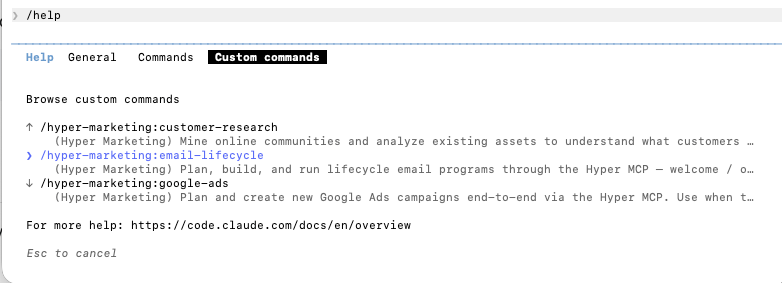
Slash commands showing hyper-marketing skills
Verify your setup
Run a quick test in Claude Code:google-ads or meta-ads when relevant.
Connect your integrations
Connect the ad platforms and apps your skills need. You can do this in either place:- app.hyperfx.ai/apps — connect accounts (Google Ads, Meta, Gmail, Shopify, and others)
- app.hyperfx.ai/mcp — add the Hyper toolkit to your MCP server and connect integrations from the same page
google-ads requires Google Ads, and meta-ads requires Meta Business.
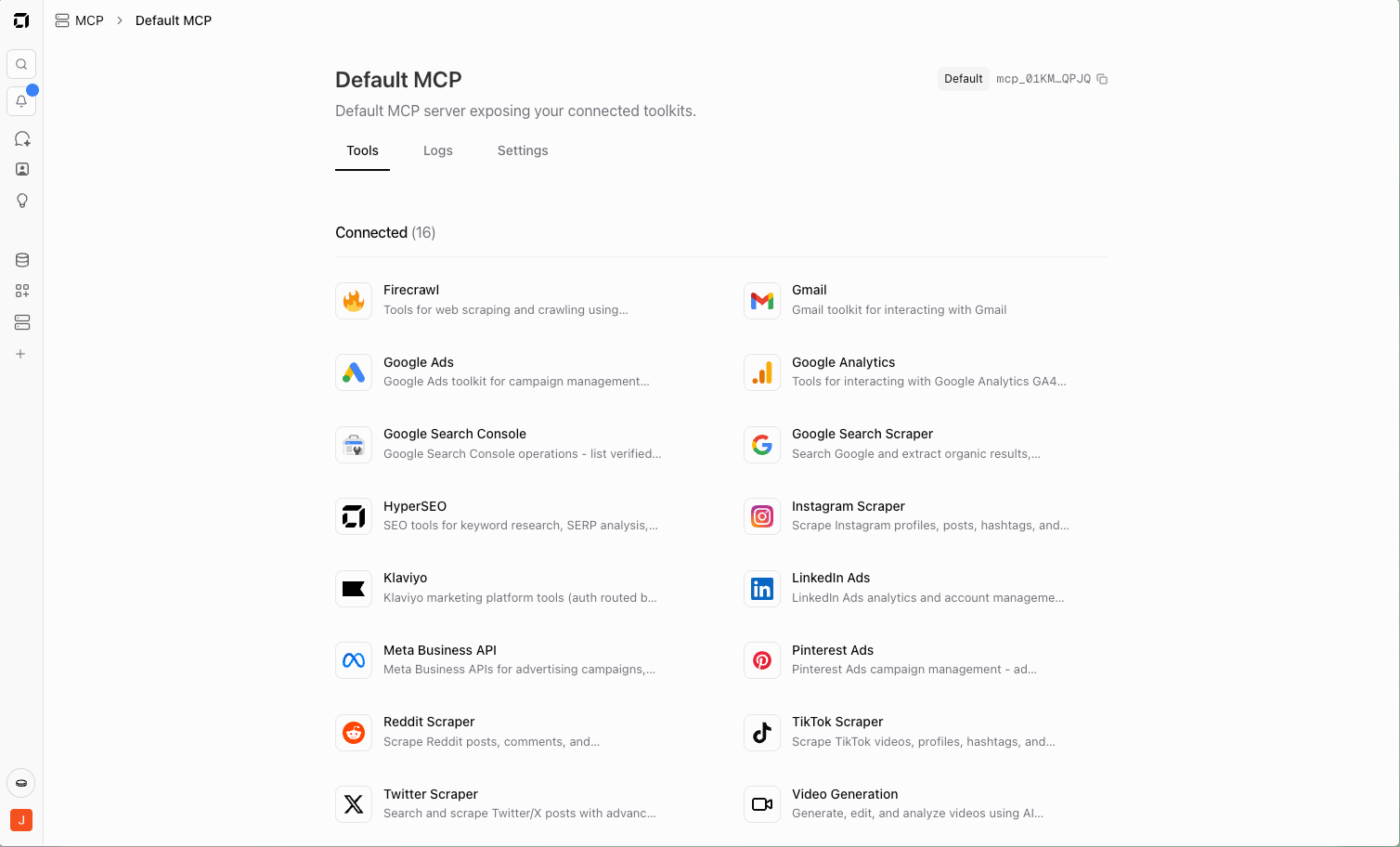
Hyper MCP page with platforms connected
Available skills
Skills activate automatically from natural language, or invoke one directly (e.g./hyper-marketing:google-ads).
What you can do
Once connected, Claude Code can run full marketing workflows through Hyper — not just single tools:- Paid campaigns — Set up, launch, and optimize across Meta, Google Ads, TikTok, and Amazon (creatives, targeting, keywords, budgets, tracking, monitoring).
- Market research — Find winning angles via Meta Ads Library, Reddit, Instagram, TikTok, YouTube, and competitor sites (hooks, offers, pain points, creative trends).
- SEO & content — Connect WordPress, Webflow, Wix, or Ghost, then improve SEO and AI search visibility with keyword research, content briefs, automated posts, and performance tracking.
- Organic social — Create and schedule posts across Instagram, TikTok, LinkedIn, Reddit, Pinterest, and X using brand voice, trend research, and generated images or video.
- Ecommerce analytics — Connect Shopify, GA4, Search Console, Meta, Google Ads, and TikTok to analyze store performance, find conversion issues, and recommend campaigns, landing pages, and budget shifts.
Example prompts
Copy these into Claude Code as-is, then swap in your brand, URLs, and numbers. The more context you give, the better the skill routing and output. Each example maps to one of the workflows above.Google Search campaign
Meta competitor creative research
SEO audit with priorities
Organic social content across channels
instagram, tiktok, linkedin, etc.) plus image-generation or video-generation for assets, and research skills for trend discovery.
Ecommerce performance and budget review
analytics-insights plus ad platform skills when those integrations are connected.
Cross-channel marketing agent
Troubleshooting
"Nested session" error when installing
"Nested session" error when installing
/plugin or /mcp instead of typing it yourself. Slash commands must go directly into the Claude Code input — not through a prompt to the model.Skills aren't showing up after install
Skills aren't showing up after install
/reload-plugins, or restart Claude Code. Then type / and look for the hyper-marketing: namespace, or run /help and check the Commands tab.If skills are still missing, confirm the plugin is enabled: /plugin → Installed tab → hyper-marketing.Plugin or MCP shows 'needs authentication'
Plugin or MCP shows 'needs authentication'
/plugin → Installed → hyper-marketing → Authenticate, or use /mcp → select the Hyper server → Authenticate.If the browser flow fails, try a private window or disable ad blockers temporarily. You can also reconnect from app.hyperfx.ai/mcp.A skill says the MCP isn't connected
A skill says the MCP isn't connected
/plugin list to confirm hyper-marketing is enabled. Re-authenticate the Hyper MCP server via /mcp or the Installed tab in /plugin.A skill says an integration isn't connected
A skill says an integration isn't connected
Manual MCP — server not found
Manual MCP — server not found
hyperfx entry pointing at https://backend.hyperfx.ai/mcp/. Re-run the claude mcp add command if it’s missing.FAQ
Do I need to know MCP to use this?
Do I need to know MCP to use this?
What's the difference between this and Connect to Claude (desktop)?
What's the difference between this and Connect to Claude (desktop)?
Can I use the plugin and manual MCP setup together?
Can I use the plugin and manual MCP setup together?
How do I invoke a skill directly?
How do I invoke a skill directly?
/hyper-marketing:google-ads, then describe what you want. You can also just ask in natural language; Claude routes to the right skill when the task matches.Related resources
- Marketing skills repository — plugin marketplace source, skill definitions, and other install options for manual MCP setup
- Connect to Claude (desktop) — connect Hyper MCP in Claude’s chat app via connectors
- Set up your MCP server — choose toolkits, set per-tool guardrails, and control what Claude Code can access
- Integrations overview — full list of platforms you can connect in Hyper
- Claude Code documentation — official CLI reference, plugins, and slash commands